發表文章

目前顯示的是有「LabVIEW教學」標籤的文章

[LabVIEW][Arduino] Read/Write data between BLED112 dongle and ESP32/在BLED112適配器和ESP32間讀寫資料

圖片
This example shows how BLED112 dongle receive data from ESP32 development board and then send data back to ESP32 and print data on the COM port monitor. 這個範例說明BLED112 dongle如何從ESP32開發版上收取資料,以及將資料送回ESP32並將資料列印在串列埠監控視窗上。 The next video will show to edit Labview program of BLED112 and Arduino code of ESP32. 下一個影片我們將說明如何轉寫BLED112的LabVIEW程式,以及ESP32的Arduino程式碼。 1. Introduce LabVIEW example code of BLED112 dongle and Arduino code of ESP32 development board. 2. BLE Scan and connection between BLED112 and ESP32. 3. Find Service UUID and Characteristic UUID Rx/Tx of ESP32 in LabVIEW program. Next video will shows how BLED112 dongle reads and write string to ESP32. 1. 簡介BLED112 dongle的LabVIEW程式內容和ESP32開發版的Arduino程式碼。 2. BLED112 and ESP32之間的低功號藍芽掃描與連結。 3. 在LabVIEW程式中找到ESP32的Service UUID和Characteristic UUID Rx/Tx。 下一個影片將說明BLED112 dongle何和讀寫字串到ESP32開發版上。 1. Add while loop in LabVIEW code to read/write data to ESP32 continuously. 2. Convert unit8 value to 3 digits ASCII code in LabVIEW code. 3. Wr...

[LabVIEW][Python][Voice]Calling python class method in Python Node使用Python Node呼叫 Python類別中的方法

圖片
This example demonstrates how to calling python class method in Python Node. 這個範例說明如何使用Python Node呼叫 Python類別中的方法。 Steps 1. Create studentclass.py in the Visual Studio Code. 2. Add Object and wrapper functions for calling. 3. Use Python Node to call wrapper functions to get and set scores of students. 步驟: 1. 在Visual Studio Code中建立studentclass.py。 2. 增加物件以及可以被呼叫的包裝函數 。 3. 使用Python Node去呼叫包裝函數來獲取與設定學生的分數。 We will share more tutorial videos with people who want to learn LabVIEW and Python welcome to subscribe this channel. 未來會陸續更新影片,讓想學習LabVIEW和Python的朋友可以看影片學習,歡迎訂閱此頻道。 其他網址/related websites: https://labview-tech.blogspot.com/ https://fishark.pixnet.net/blog email: jacklee3633 @gmail.com Line: lvnet

[LabVIEW 2018][Voice] How to use Python Node to communicate with Python 如何使用Python Node與Python溝通

圖片
This example show steps of using Python Node to communicate with Python 這個範例說明如何使用Python Node與Python 溝通 Step 1. Install traditional Python 3.6 or 2.7 which LabVIEW 2008 Python Node supported. Step 2. Setup the system path of Python 3.6 or 2.7 Step 3. Tell python file path and function name to Python Node 步驟1. 安裝傳統的 Python 3.6 或 2.7 ,是目前LabVIEW 2008 Python Node有支援的 步驟2. 設定Python的環境變數 步驟3. 告訴Python Node Python檔案路徑與所想呼叫的函數名稱 Note: If your LabVIEW2018 is 32 bits, install Python 3.6 32 bits version. 注意: 如果你的 LabVIEW2018是32 bits,請安裝Python 3.6 32 bits版本。 We will share more tutorial videos with people who want to learn LabVIEW. welcome to subscribe this channel. 未來會陸續更新影片,讓想學習LabVIEW的朋友可以看影片學習,歡迎訂閱此頻道。 其他網址/related websites: https://labview-tech.blogspot.com/ https://fishark.pixnet.net/blog email: jacklee3633 @gmail.com Line: lvnet

[LabVIEW] Four Hex array to Float by using Type Cast 使用Type Cast將四個16進位整數轉換成浮點數

圖片
This example shows how to transfer four hex integer array into float by using type cast. 本範例說明如何使用Type cast將四個16進位整數轉換成浮點數。 We will share more tutorial videos with people who want to learn LabVIEW. welcome to subscribe this channel. 未來會陸續更新影片,讓想學習LabVIEW的朋友可以看影片學習,歡迎訂閱此頻道。 其他網址/related websites: https://labview-tech.blogspot.com/ https://fishark.pixnet.net/blog email: jacklee3633 @gmail.com Line: lvnet

[LabVIEW] Hex array to string by using Type Cast使用Type Cast將16進位整數轉換成字串

圖片
This example shows how to use Type Cast to transfer Hex integer array to string 本範例說明如何使用Type Cast將16進位整數轉換成字串 We will share more tutorial videos with people who want to learn LabVIEW. welcome to subscribe this channel. 未來會陸續更新影片,讓想學習LabVIEW的朋友可以看影片學習,歡迎訂閱此頻道。 其他網址/related websites: https://labview-tech.blogspot.com/ https://fishark.pixnet.net/blog email: jacklee3633 @gmail.com Line: lvnet

[LabVIEW][Voice]Use Timezoneinfo class to get different timezone information使用Timezoneinfo類別去獲取不同的時區資訊

圖片
This movie shows how to call Timezoneinfo and ReadOnlyCollection class from .net framework (LabVIEW 2012 supports .net framework 3.5). Window's timezone has been set as Japan time (timezone +9). We can use methods and properties of Timezoneinfo class to covert the standard time from Japan to Taipei. 本影片呈現如何使用LabVIEW呼叫 .net framework中的 Timezoneinfo 和 ReadOnlyCollection類別 (LabVIEW 2012 支援 .net framework 3.5)。 微軟的系統時區已經先被設成日本時間(時區+9),我們使用 Timezoneinfo類別中的方法與屬性來將日本的時間轉換成台北時間。 備註/Note: Timezoneinfo class: https://docs.microsoft.com/zh-tw/dotnet/api/system.timezoneinfo?view=netframework-4.8 ReadOnlyCollection class: https://docs.microsoft.com/zh-tw/dotnet/api/system.collections.objectmodel.readonlycollection-1?view=netframework-4.8 We will share more tutorial videos with people who want to learn LabVIEW. welcome to subscribe this channel. 未來會陸續更新影片,讓想學習LabVIEW的朋友可以看影片學習,歡迎訂閱此頻道。 其他網址/related websites: https://labview-tech.blogspot.com/ https://fishark.pixnet.net...

[LabVIEW] [Voice] Get items in Timestamp 獲取Timestamp的細項資料

圖片
This movie shows how to get the integer of floating data format of year, month, date, hour, minute and second from timestamp. 本篇影片說明如何將Timestamp中的年、月、日、時、分、秒的資料用整數說是浮點數的資料型態取出。 We will share more tutorial videos with people who want to learn LabVIEW. welcome to subscribe this channel. 未來會陸續更新影片,讓想學習LabVIEW的朋友可以看影片學習,歡迎訂閱此頻道。 其他網址/related websites: https://labview-tech.blogspot.com/ https://fishark.pixnet.net/blog email: jacklee3633 @gmail.com Line ID: lvnet

[LabVIEW] How to read binary 2D array from file 如何從檔案中讀出二進位2D矩陣

圖片
This example shows how to read 2D array form a binary file. 這個範例展示如何從一個二進位檔案中讀取2D矩陣資料。 We will share more tutorial videos with people who want to learn LabVIEW. welcome to subscribe this channel. 未來會陸續更新影片,讓想學習LabVIEW的朋友可以看影片學習,歡迎訂閱此頻道。 其他網址/related websites: https://labview-tech.blogspot.com/ https://fishark.pixnet.net/blog email:  jacklee3633 @gmail.com Line ID: lvnet

[LabVIEW] How to write binary 2D array to file 如何將二進位2D矩陣寫入檔案

圖片
This example shows how to write 2D array into a binary file. 這個範例展示如何將2D矩陣資料寫入一個二進位檔案中。   We will share more tutorial videos with people who want to learn LabVIEW. welcome to subscribe this channel. 未來會陸續更新影片,讓想學習LabVIEW的朋友可以看影片學習,歡迎訂閱此頻道。 其他網址/related websites: https://labview-tech.blogspot.com/ https://fishark.pixnet.net/blog email:  jacklee3633 @gmail.com Line ID: lvnet

[LabVIEW]Use mouse and event structure to draw rectangle on waveform graph 使用滑鼠與事件結構在圖形控制向上繪製長方形

圖片
This is the example which shows how to use events of the mouse (down, move and up) to draw rectangle on the waveform graph. You can learn how to use event structure, waveform graph property, picture function and bundle/ unboundle vi to implement this example. 這個範例說明如何使用滑鼠的事件,像是按下、移動與釋放去繪製長方形在在圖形控制向上。你可以學習如何使用事件結構、圖形控制的屬性、圖形功能以及bondle/unboundle vi來完成這個範例。 We will share more tutorial videos with people who want to learn LabVIEW. welcome to subscribe this channel. 未來會陸續更新影片,讓想學習LabVIEW的朋友可以看影片學習,歡迎訂閱此頻道。 其他網址/related websites: https://labview-tech.blogspot.com/ https://fishark.pixnet.net/blog

[Arduino] Mega 2560 Analog Inputs are transferred to voltage/將mega 2560的類比輸入轉成電壓訊號

圖片
Read A0, A1 and A15 analog input and transfer to voltage value. in Range function check if voltage is in the right range. 讀出A0, A1和A15的類比訊號,轉換成電壓訊號, 然後再用inRange函式判斷是否有在正確的範圍內。 未來會陸續更新影片,讓想學習LabVIEW的朋友可以看影片學習,歡迎訂閱此頻道。 其他網址:  https://labview-tech.blogspot.com/  https://fishark.pixnet.net/blog

[LabVIEW] Report generation: print to PDF 產生報告,列印成PDF

圖片
print the report including data and graph to PDF format 將資料和圖表輸出成報告,列印成PDF格式。 未來會陸續更新影片,讓想學習LabVIEW的朋友可以看影片學習,歡迎訂閱此頻道。 其他網址:  https://labview-tech.blogspot.com/  https://fishark.pixnet.net/blog

[LabVIEW] Generate Report: print to HTML 用HTML的格式產生報告

圖片
Output data and graph content to HTML report 將資料與圖表內容輸出產生HTML報告 使用LabVIEW中的Report Generation VI來將資料與圖表輸出成HTML報告 未來會陸續更新影片,讓想學習LabVIEW的朋友可以看影片學習,歡迎訂閱此頻道。 其他網址: https://labview-tech.blogspot.com/ https://fishark.pixnet.net/blog

[LabVIEW] Customized Menu & Event Structure & Queue 使用Run-Time Menu與事件結構做互動

圖片
Use Customized Menu, Event Structure and Queue to operate signals in different while loop for Producer Consumer Design Pattern. 以下影片是說明如何操作Run-Time Menu來做一格客製化的Menu bar,並在Event Structure中使用Menu操作時的訊號傳遞給Queue,使用Queue來在Event Structure與另一個While Loop做溝通做字串顯示的互動。 未來會陸續更新影片,讓想學習LabVIEW的朋友可以看影片學習,歡迎訂閱此頻道。  其他網址: https://labview-tech.blogspot.com/ https://fishark.pixnet.net/blog

[LabVIEW] Multi Graph with Timestamp for showing current time 用timestamp呈現多筆資料的圖表顯示

圖片
Multi Graph with Timestamp for showing current time 用timestamp呈現多筆資料的圖表顯示 1. X軸使用目前時間的時分秒的方式表示 2. 將多筆資料在一個XY waveform顯示 未來會陸續更新影片,讓想學習LabVIEW的朋友可以看影片學習,歡迎訂閱此頻道。

[LabVIEW] Customized Menu and Event Structure /客製化Menu與事件結構

圖片
Use Run-Time menu to interact with Event Structure 使用Run-Time Menu與事件結構做互動 以下影片是說明如何操作Run-Time Menu來做一格客製化的Menu bar,並在Event Structure中使用Menu操作時的訊號來做字串顯示的互動。   未來會陸續更新影片,讓想學習LabVIEW的朋友可以看影片學習,歡迎訂閱此頻道。

LabVIEW教學: 如何在VI中使用.dll檔

圖片
由於許多的軟體都提供SDK給開發者使用,因此可以在VI中呼叫dll檔使用,一般有兩種方法: 1.  Import  Shared Library 2.    Call Library Function Node 以下是相關的教學連結: 1.  我要如何使用 LabVIEW 來呼叫動態連接函式庫 (Dynamic Link Library DLL)? 2.  Using Shared Libraries in LabVIEW

在Arduino IDE安裝ESP32 Add-On

圖片
為了在Arduino上開發ESP32的開發版,我們需要在Arduino IDE上裝ES32 Add-On, 安裝Arduino IDE1.8.9  1. 到  https://www.arduino.cc/en/Main/Donate  下載Arduino IDE,選just download即可。 2. 安裝Arduino IDE 2. 安裝ESP32 Add-On 在Arduino IDE中,檔案-->偏好設定,再額外的開發版管理員網址中輸入: https://dl.espressif.com/dl/package_esp32_index.json 按確定。 在Arduino IDE中,工具-->開發版-->開發版管理員,搜尋 ESP32, 然後安裝 ESP32 by Espressif Systems 選擇ESP32 Devkit開發版 開啟範例WIFI scan 執行,開啟工具-->串列埠監控視窗,即可看到附近WIFI訊號的掃瞄資訊 參考 ESP32-DevKitC V4 Getting Started Guide ( https://docs.espressif.com/projects/esp-idf/en/latest/get-started/get-started-devkitc.html )

使用BLE Dongle (BLED112)與LabVIEW BLE Toolkt遭遇的問題

圖片
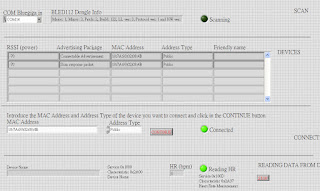
2018.02.25 目前想使用BLED112與LabVIEW BLE Toolkit與BLE M+Arduino作結合,想Read與Write資料, 雖然這個BLE Module與App Inventor 2的資料讀寫,已經證實可行, 但在與BLED112與LabVIEW BLE Toolkit的搭配上卻還有這一些問題, 首先是Characteristic UUID與Service UUID無法被發現: Error 0 occurred at Client Characteristic Configuration for Service: 0000FFF0-0000-1000-8000-00805f9b34fb and Characteristic 0000FFF1-0000-1000-8000-00805f9b34fb was not found 另一個可能是Notify沒被Enable, 有個論壇中的回覆是這樣描述的: I enabled notifications for the TI sensortag cc2650, sequence: 1. Write 0x01 to sensor configuration UUID to enable data collection [temperature sensor AA02, humidity sensor AA22, ...]. 2. Write 0x0100 to sensor notification UUID 2902. 3. Monitor the attribute value event [use ble_evt_attclient_attribute_value.vi in the above toolkit] 目前只能試到如此,之後在程式是否能解決上述問題,如無法解決,只好試試他BLE Module了。 2019.02.28 測試另一個可以讀到 Device Name的BLE模組,發現這個模組可以看到 Handle Table,而之前的BLE模組卻沒有Handle Table,這是要保留探討的部分。 我們暫時將可以抓到Handle Table的BLE模組稱為BLE.B,而原先的稱為BLE.A,以下是BLE.B的Handle Ta...

(下) BLE (Bluetooth Low Energy) Toolkit for LabVIEW (低功耗藍芽工具套件)

圖片
將LabVIEW更新到2014版後,新買的BLE Dongle也到貨了,接下來要完成LabVIEW BLE Toolkit的安裝,以及BLE Dongle Driver的安裝。 使用VIPM安裝完BLE Toolkit,接著按下Show Examples按鈕,      可選擇以下三個VI來測試,      ble_scan_devices.vi Discover and connect to BLE devices ble_read_write_characteristics.vi Read and Write a Characteristic value, providing the  UUID  for  Service  and  Characteristic ble_read_hr_monitor.vi  Acquire Heart Rate data stream, for devices with Heart Rate Profile 執行 ble_read_hr_monitor.vi,